

I thought it would be helpful to provide an overview of my GNS3 installation so you can modify your environment accordingly and make it function properly when using eConfigs GNS3 lab topologies. Depending on your install, you may need to modify the .net files to set the correct path.
Computer Settings
- eConfigs GNS3 labs are run on Ubuntu Linux
- to work in Windows you will have to change forward slashses to backslashes and edit the directory paths accordingly
- configuration files are stored in a folder on a separate partition on my hard drive (/media/47A3-969A/Cisco/gns3)
- create the following folders under the gns3 folder if they aren't created automatically
- ./gns3/capture
- ./gns3/IOS
- ./gns3/Labs
- ./gns3/tmp
Start GNS3 and set your Preferences
GNS3 Settings
Preferences -> General -> General Settings

Preferences -> General -> Terminal Settings

Preferences -> General -> GUI Settings

Preferences -> Dynamips -> Dynamips
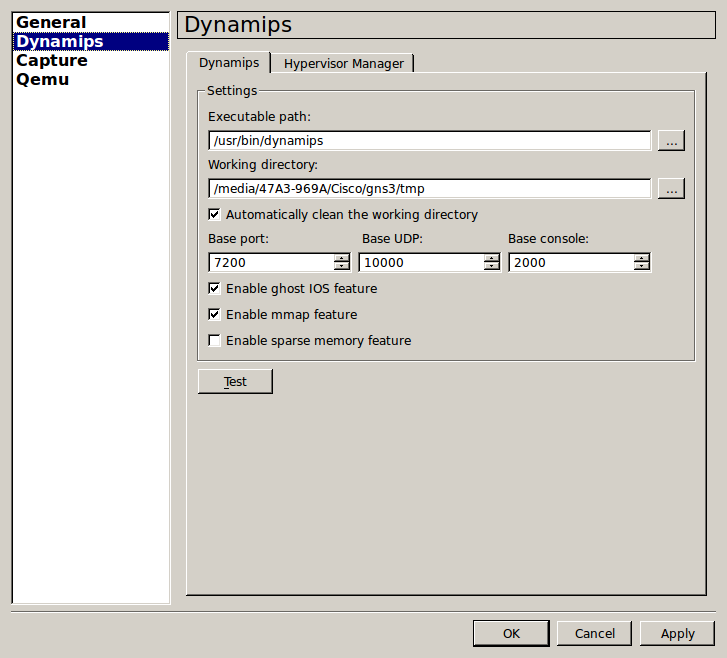
Preferences -> Dynamips -> Hypervisor Manager
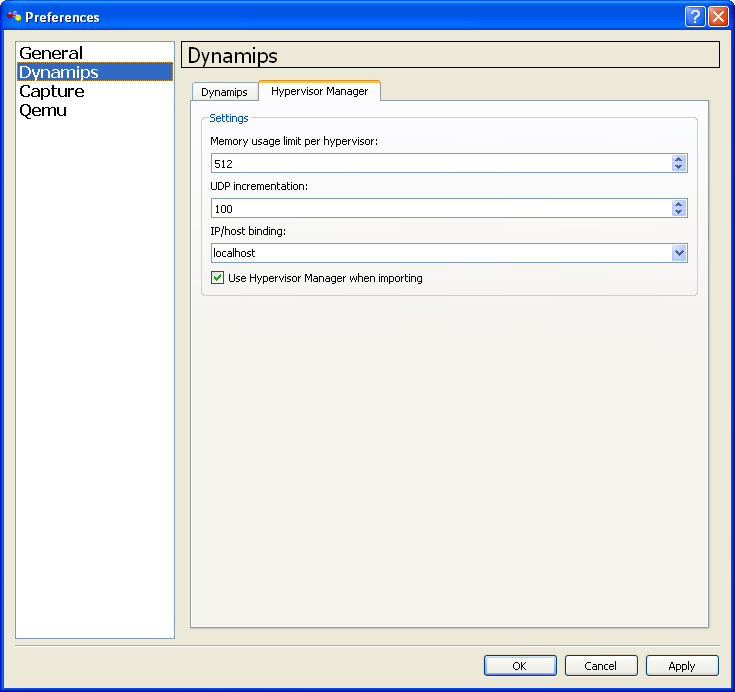
Preferences -> Capture
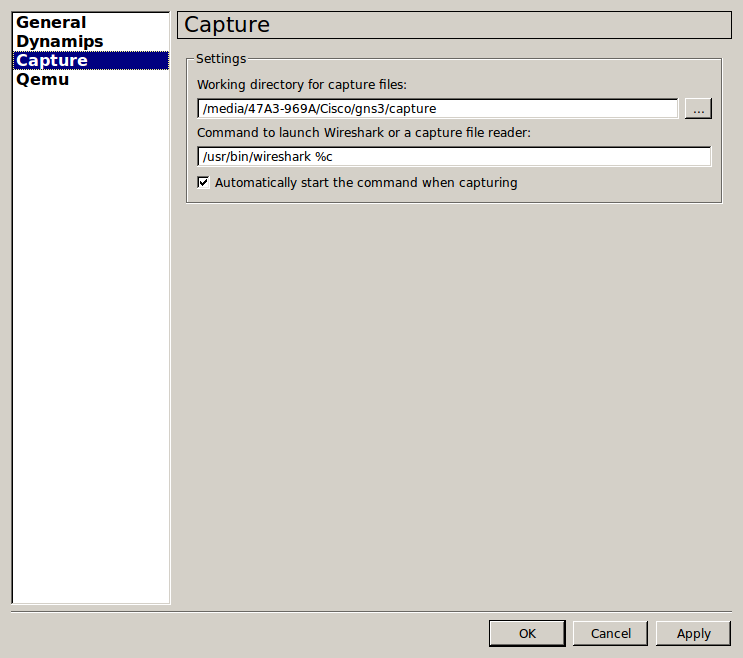
Preferences -> Qemu -> General Settings

Test your Dynamips connection
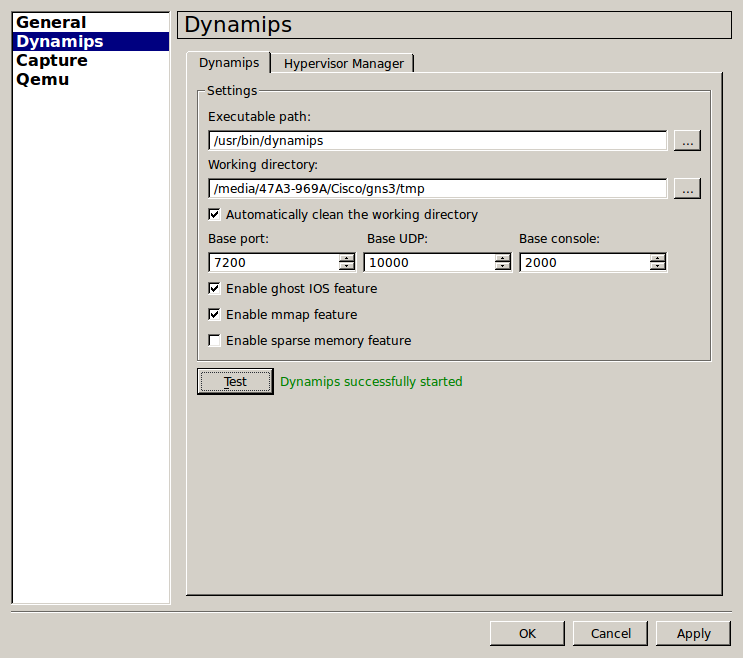
- Unfortunately, I cannot provide IOS images for you. Once you obtain an IOS image, save it in the gns3/IOS folder
- The labs reference the unpacked versions of IOS. Unpacked images load the IOS faster. You will need to download the Cisco image unpacker 0.x binary from the GNS3.net website. Unpack your IOS images and save them to the gns3/IOS folder. A correctly unpacked image should end in .bin.unpacked
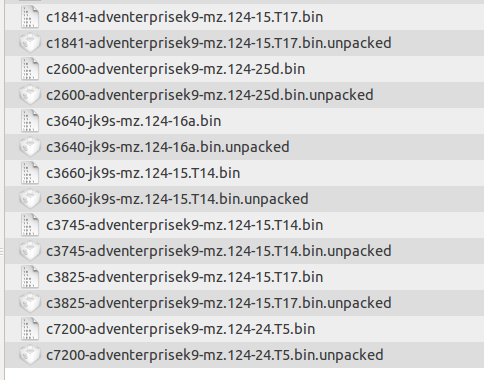
Set Your IOS Images and Hypervisor
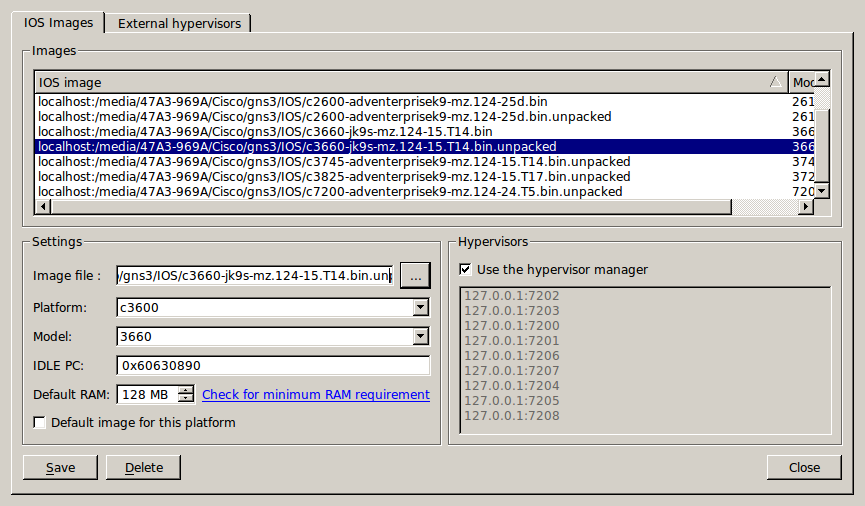
- Again, point your IOS settings to the unpacked image in the /gns3/IOS folder
- At this point you may want to create a topology and drop a router onto it. Then set the idle-pc value for the router. This way the idle-pc value will already be set when you download our labs. You should only have to do this once per router platform.